

Enhance your customer experience
with easy access to data

Put an end to complex data visualization and productivity loss for your teams with Crisp’s native or custom data connectors. Automatically synchronize contextualized information for each customer to enable your reps to personalize every conversation, no matter the channel.

4 days free trial — All Crisp features — No card required
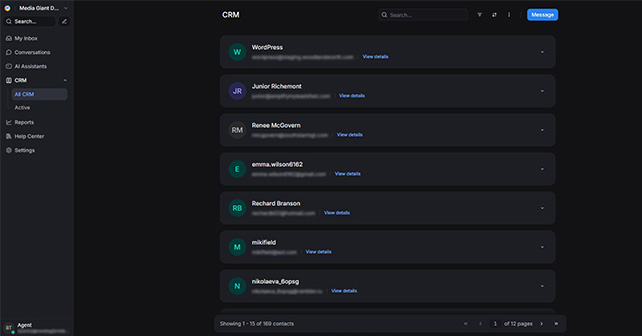
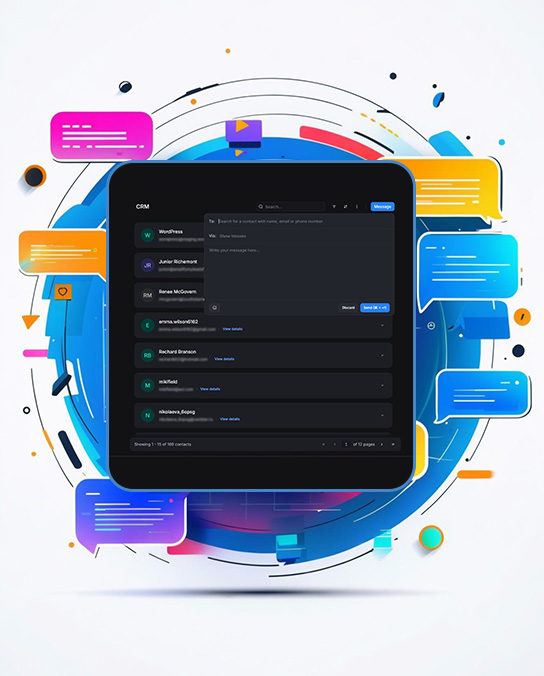
View of CRM

Make them feel unique

Automate 50% of your inquiries with AI, let your teams focus on what matters.

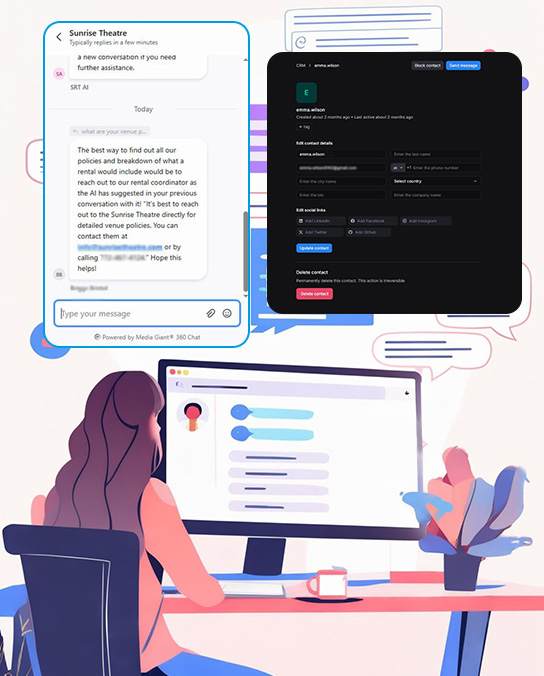
View details of each individual contact
View active contacts within the CRM

Explore our customer relationship
management software

It all starts with a Hello.

No matter the data source, Chat makes it easy to create a unified view

Here are almost all the sources that can be connected to make data flow between Chat and your database.

Curious about Chat?

Book a demo with our experts to learn more about Crisp and how it can help your business.

fooer

Extensible customer data management, at your fingertips

A unified view you were missing

Get an insightful view on customer behavior, preferences, and interactions, resulting in a better resolution time and a more effective customer experience.

Keep your customer data clean, the easy way

Managing customer data requires a lot of work, whether it is through cleaning or updating. Using Crisp contact management features, you can modify customers’ data the easy and focus on your core business.
CRM conversation reports

Keep information about your customers in Chat built-in CRM

Synchronize leads and customer data in a single CRM. Whenever you communicate with someone, you have access to their data and past interactions, enabling more personnal and personalized conversations.

Help teams and customers

AI that helps your teams and customers move faster

Synchronize leads and customer data in a single CRM. Whenever you communicate with someone, you have access to their data and past interactions, enabling more personnal and personalized conversations.

Standardized data that makes the dream work

Build custom integration that lets data flows to your stack

Using Chat custom widgets, any company can build custom workflows through embeded iframes, displayed within their Chat Workspace, making it easy to create, edit or synchronize data with other tools used in their companies.
add integrations
Automation shouldn’t always start from an automated trigger, that’s why, using Chat widgets, you can craft manual actions that require an action from your support or sales team.

Customizable customer service
experience at your fingertips

Build custom integration that lets data flows to your stack

contact details
Trigger marketing
Overview of organized data reports
Within the CRM, you can merge contacts

All that matters, is a delightful customer experience

Good data, empowers great experiences

Advanced filtering options are made to empower teams to better segment customers and lead. Through custom filtering options available in Chat CRM, companies can empower their teams with efficient and fine-grained targeting options.

good-data
CRM customize

Personalize each conversation,
no matter the channel

fooer

Curious about Chat?

Book a demo with our experts to learn more about Chat and how it can help your business.

Significant things you wouldn't want to miss

Enterprise level-grade security

State-of-the-art cryptography measures to take care of your data.

Up to 30 days free trial

Unlock longer trial through advanced features configuration.

Built for mobile and desktop

Conversations and data are available from anywhere, even in your pocket.

See their testimonials and reviews about Crisp CRM

John Doe
John Doe@username
Lorem ipsum dolor sit amet, consectetur adipiscing elit. Ut elit tellus, luctus nec ullamcorper mattis, pulvinar dapibus leo.

John Doe
John Doe@username
Lorem ipsum dolor sit amet, consectetur adipiscing elit. Ut elit tellus, luctus nec ullamcorper mattis, pulvinar dapibus leo.
John Doe
John Doe@username
Lorem ipsum dolor sit amet, consectetur adipiscing elit. Ut elit tellus, luctus nec ullamcorper mattis, pulvinar dapibus leo.
John Doe
John Doe@username
Lorem ipsum dolor sit amet, consectetur adipiscing elit. Ut elit tellus, luctus nec ullamcorper mattis, pulvinar dapibus leo.
John Doe
John Doe@username
Lorem ipsum dolor sit amet, consectetur adipiscing elit. Ut elit tellus, luctus nec ullamcorper mattis, pulvinar dapibus leo.

What is a CRM?

A Customer Relationship Management (CRM) system for customer service is software that helps companies manage customer interactions and conversational experiences. It centralizes customer information from third-party sources, tracks interactions on mobile apps or web software, manages service requests through a ticketing system, and provides a knowledge base for self-service solutions.

Key features include automation of routine tasks, multichannel support such as emails, chat, Messenger, WhatsApp Business, or even Line and Telegram, and detailed analytics for performance insights and tracking support agents, including customer satisfaction scores. Benefits include improved customer satisfaction through faster, unique, and personalized support, enhanced efficiency with streamlined workflows like automated routing rules, and data-driven decision-making.

Examples of popular CRM systems for customer service include Zendesk, HubSpot Service Hub, Crisp, and Freshdesk. These systems enable better team collaboration, scalability, and consistent service across all communication channels as well as internal collaboration, ultimately helping businesses unlock better word of mouth through exceptional customer experiences and operational efficiency.
MGD Chat CRM

How does CRM improve customer experience?

A Customer Relationship Management (CRM) system for customer service is software that helps companies manage customer interactions and conversational experiences. It centralizes customer information from third-party sources, tracks interactions on mobile apps or web software, manages service requests through a ticketing system, and provides a knowledge base for self-service solutions.

Key features include automation of routine tasks, multichannel support such as emails, chat, Messenger, WhatsApp Business, or even Line and Telegram, and detailed analytics for performance insights and tracking support agents, including customer satisfaction scores. Benefits include improved customer satisfaction through faster, unique, and personalized support, enhanced efficiency with streamlined workflows like automated routing rules, and data-driven decision-making.

Examples of popular CRM systems for customer service include Zendesk, HubSpot Service Hub, Crisp, and Freshdesk. These systems enable better team collaboration, scalability, and consistent service across all communication channels as well as internal collaboration, ultimately helping businesses unlock better word of mouth through exceptional customer experiences and operational efficiency.
How the Chat CRM for customer service

How to use CRM for customer service?

To use a CRM for customer service effectively, centralize customer information and integrate the CRM with other tools to capture interactions automatically. Manage service requests using the CRM’s ticketing system and automate workflows for timely responses. Enhance communication by handling interactions across multiple channels from a single interface and maintaining real-time updates. Foster team collaboration with a shared knowledge base and internal notes on tickets. Monitor performance through CRM analytics and collect customer feedback to identify improvement areas. Personalize interactions using detailed customer profiles and proactive service. Train your team on CRM usage and provide ongoing support. Ensure scalability to handle increasing interactions as your business grows, and continuously update CRM processes to adapt to evolving service needs. This approach streamlines operations, improves efficiency, and enhances customer satisfaction.

How to choose your next CRM for your company?

With the rising cost of customer acquisition, companies must ensure they provide the best, most personalized, and delightful customer service.

Make sure your next provider checks these boxes!

To help businesses in the process of choosing their next CRM platform, we’ve gathered 6 key factors to guide their buying process.
Integrations
Ensure the CRM can seamlessly integrate with your existing tools and platforms, such as communication channels and beyond. Make sure the CRM has built-in integration with your source of truth. For example, look for integrations with HubSpot, Pipedrive, Shopify, klaviyo, WooCommerce, and even APIs to build custom integrations.
Choose a CRM for customer support that can grow with your business, allowing you to handle increasing volumes of customer interactions and adapt as your customer data grows. Data storage is key to building lasting relationships with your customers.
Look for a CRM that allows you to easily build custom integrations and customize workflows, automations, templates, and user roles to align with your specific customer service processes and internal requirements.
Opt for a CRM with an intuitive, modern and easy-to-navigate interface that doesn’t require endless trainings for your customer service team so they can get started real quick with their new platform.
Prioritize a CRM that offers powerful analytics and reporting dashboards to track key performance metrics, gain insights into customer behavior, and make data-driven decisions to improve customer service.
Ensure your CRM provider offers strong customer support, dedicated trainings and comprehensive help resources to assist with implementation, troubleshooting, and maximizing the platform’s potential.

How does it work?

1. Data Integration

State-of-the-art cryptography measures to take care of your data.

2. System Configuration

Unlock longer trial through advanced features configuration.

3. Performance monitoring

Conversations and data are available from anywhere, even in your pocket.

Ready to build an exceptional
customer support?

14 days free trial — All Crisp features — No card required
fooer